


Dealership blog
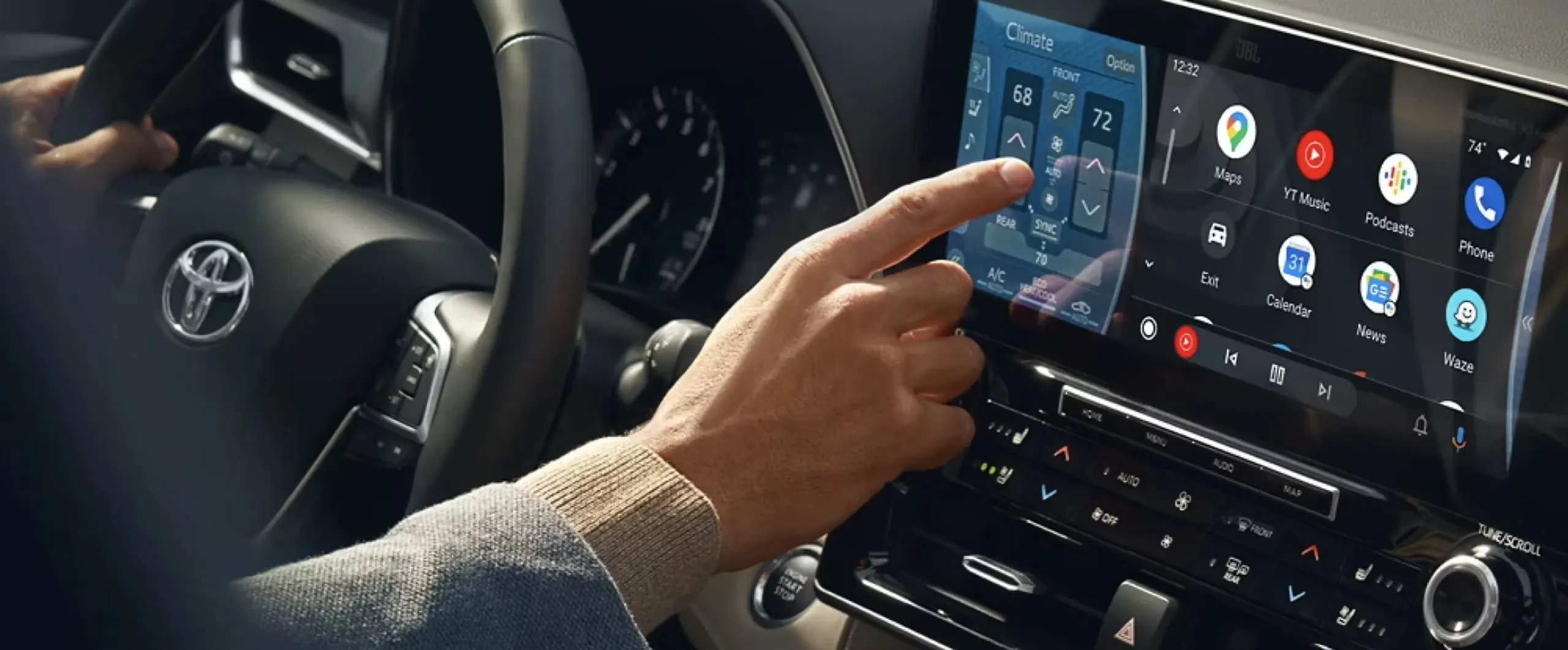
Toyota App and Connected Services Setup Guide for Mobile, AL Drivers
Springhill Toyota Ownership Technology Guide
Setting Up Your Toyota App and Connected Services in Mobile, AL
From remote start to service reminders to real-time navigation, the Toyota app and Connected Services can make daily driving around Mobile easier once you know how they work. Here is how we walk new owners through setup, feature use, and what to check before a Gulf Coast drive.
Quick Answer: How Do You Set Up the Toyota App and Connected Services?
To set up the Toyota app and Connected Services, download the Toyota app, create or sign in to your Toyota account, add your vehicle using the VIN, and follow the in-app prompts to activate Remote Connect, Safety Connect, Service Connect, and Drive Connect. We recommend Mobile drivers complete this step before their first drive home, since it activates trial periods and helps our service team support you faster if a question comes up. For families in Daphne juggling school runs and after-school activities, having remote start and cabin cooling ready from day one makes a real difference on hot Gulf Coast afternoons.
This guide walks through what each Connected Services feature does, how setup works, what to check before a storm-season drive, and when to bring your questions to our team at Springhill Toyota.
Definition: Toyota App and Connected Services
The Toyota app and Connected Services are a smartphone application and vehicle telematics system that let owners remotely access, monitor, and manage select vehicle functions. They are designed to support remote start, emergency assistance, maintenance alerts, and navigation. For drivers in Mobile, AL and surrounding communities, they provide added convenience and peace of mind for daily commuting and long-distance travel.
Table of Contents
- What Toyota Connected Services Can Help You Do
- Remote Connect, Safety Connect, and Service Connect Explained
- Drive Connect and Wi-Fi Connect Explained
- Trial Lengths and What Happens When They Expire
- How to Set Up the Toyota App After Purchase
- Matching Connected Services to Your Driving Needs
- What to Check Before a Gulf Coast Drive
- What Most New Owners Never Check in the Toyota App
- Getting the Most from Remote Features Day-to-Day
- Key Takeaways
- Toyota App and Connected Services Questions
- When to Contact Springhill Toyota for Help
What Toyota Connected Services Can Help You Do
Toyota Connected Services bundle remote vehicle access, safety monitoring, maintenance alerts, and cloud navigation into one app-based system.
We recommend every new owner spend a few minutes with the Toyota app during their first week of ownership, because the features work together. Remote Connect lets you lock, unlock, and start your vehicle from your phone. Safety Connect adds emergency response and stolen vehicle support. Service Connect sends maintenance reminders straight to your phone instead of relying on a windshield sticker. Drive Connect layers in cloud-based navigation and voice assistance, and Wi-Fi Connect can turn your Toyota into a mobile hotspot. You can explore our current Toyota inventory to see which models come equipped with the latest Toyota Audio Multimedia system that supports these features.
Remote Connect, Safety Connect, and Service Connect Explained
Remote Connect starts at your vehicle, letting you remote start, lock or unlock doors, and check fuel or charge level from the Toyota app. Safety Connect adds 24-hour emergency assistance, automatic collision notification, and a stolen vehicle locator, which depends on an active cellular connection and GPS signal. Service Connect tracks vehicle health and sends maintenance reminders based on mileage and time, rather than requiring you to track it yourself.
For a Daphne family with a Highlander, this combination means starting the vehicle and cooling the cabin from the kitchen before a school pickup on a humid afternoon, while also having Safety Connect ready in case of an unexpected issue on I-10.
- Remote Connect: remote start, lock/unlock, vehicle status
- Safety Connect: emergency response, collision notification, stolen vehicle locator
- Service Connect: maintenance alerts, vehicle health reports
Drive Connect and Wi-Fi Connect Explained
Drive Connect adds cloud-based navigation with live traffic data and a voice assistant that can respond to natural requests like finding the nearest gas station. Wi-Fi Connect turns your Toyota into a mobile hotspot for passengers, which is useful on longer trips when phone signal in a single device isn’t enough for multiple riders.
A Spanish Fort commuter who drives I-10 into Mobile daily may find Drive Connect’s live rerouting more useful than a phone-based map app, since it stays integrated with the vehicle’s own audio multimedia display rather than requiring a mounted phone.
Trial Lengths and What Happens When They Expire
Safety Connect and Service Connect trials generally run longer than Remote Connect and Drive Connect trials on current Toyota Audio Multimedia-equipped vehicles, but the exact length depends on model year and trim.
All Connected Services trials are complimentary and begin on the original purchase or lease date. Toyota has extended Safety Connect and Service Connect trials on select recent model years, in some cases for several years, while Remote Connect and Drive Connect trials on many models tend to run shorter, commonly around one year. A paid subscription is required to keep using each service after its trial ends, and pricing or bundle options can change, so we recommend confirming your specific vehicle’s trial length in the Toyota app or your Owner’s Manual rather than assuming it matches a different model.
| Connected Service | Typical Trial Length* | Best For |
|---|---|---|
| Safety Connect | Multi-year on select recent models | Drivers who want emergency response and stolen vehicle support |
| Service Connect | Multi-year on select recent models | Owners who want maintenance reminders without tracking mileage manually |
| Remote Connect | Commonly around 1 year | Families who want remote start and cabin pre-conditioning |
| Drive Connect | Commonly around 1 year | Commuters who want live traffic and cloud navigation |
| Wi-Fi Connect | Varies; often shorter or trial-optional | Families needing in-vehicle hotspot on road trips |
*Based on Toyota official website. Trial lengths vary by model year, trim, and multimedia system; confirm your vehicle’s specific terms in the Toyota app.
For a Foley owner nearing the end of a Remote Connect trial, our advice is simple: check the Toyota app for your renewal date, decide which features you actually use day-to-day, and ask our team if you want help comparing renewal options before the trial lapses.
How to Set Up the Toyota App After Purchase
Setting up the Toyota app takes a few minutes and can be done from your phone or with help from our team before you leave the showroom.
Step-by-Step App Registration and Vehicle Pairing
Download the Toyota app from the App Store or Google Play, create a Toyota account or sign in if you already have one, then add your vehicle using the VIN found on your dashboard or driver-side doorjamb. The app will walk you through activating Connected Services trials and linking your vehicle’s multimedia system. If you bought your Toyota used or the app doesn’t recognize your VIN, our team can confirm registration eligibility and walk you through activation in person.
| Setup Path | What Happens | Best For |
|---|---|---|
| In-app self-registration | Owner downloads app, adds VIN, activates trials independently | Comfortable smartphone users, quick setup |
| In-dealership pairing | Our team confirms VIN registration and walks through setup in person | First-time owners, those less comfortable with app setup |
| Used or CPO vehicle registration | May require confirming prior owner has released the vehicle from their account | Used and certified pre-owned buyers |
| Multi-driver household setup | Primary owner adds guest drivers with limited feature access | Families sharing one vehicle |
| Trial activation only | Owner registers app but delays activating optional trials | Owners who want to control trial start dates |
| Best For | In-dealership pairing for anyone unsure of the process | First-time Toyota app users |
Based on Toyota official website.
We recommend in-dealership pairing for most first-time owners, because our team can confirm your specific trim’s feature availability on the spot rather than leaving it to trial and error, and it means your Remote Connect and Safety Connect trials start correctly on day one.
Matching Connected Services to Your Driving Needs
Not every owner needs every feature active. What most new owners don’t realize is that you can turn off features you don’t use during the trial without losing access to the ones you do want.
- If you drive a Corolla for a short daily commute in Mobile, we recommend keeping Remote Connect active for quick starts and skipping Wi-Fi Connect unless you regularly carpool.
- If you tow or haul with a Tacoma or Tundra between Mobile and Bay Minette job sites, Service Connect’s maintenance alerts help track wear from heavier use.
- If you take frequent road trips from Mobile toward Gulf Shores or beyond, Drive Connect’s live traffic and Wi-Fi Connect’s hotspot are worth keeping active through the trial.
Our customers who drive a RAV4 for daily errands around Mobile tell us Remote Connect and Service Connect cover most of what they actually use, while Drive Connect matters more for longer highway stretches toward Spanish Fort or Foley.
Here at Springhill Toyota, our team can sit down with you after your purchase to walk through the Toyota app, confirm your vehicle is paired correctly, and explain exactly which Connected Services trials are active on your specific trim. If you bought online or picked up your Toyota outside normal delivery hours and never got that walkthrough, you can stop by our showroom at 3062 Government Blvd, and we will get your app connected properly. We can also confirm whether your model supports Digital Key, which requires an active Remote Connect subscription, and help you decide whether to keep a bundled subscription active once your trial period ends. If you are still deciding on financing, our team can also walk you through a finance application while your app gets set up. Just call us at 251.450.1000 or visit us in person, and we will make sure you leave knowing how to use every feature your Toyota came with.
What to Check Before a Gulf Coast Drive
Toyota Connected Services rely on a 4G cellular connection and GPS signal, so we recommend confirming app connectivity before heavy storm season or a long coastal drive.
Signal Dependency and Local Driving Conditions
Safety Connect, Service Connect, Remote Connect, and Drive Connect all depend on an active cellular connection, GPS signal, and a compatible wireless network. Coverage can be inconsistent in certain rural stretches outside Mobile, and severe weather can occasionally affect connectivity. We recommend Theodore and Bay Minette drivers confirm their app shows a connected status before heading out ahead of a storm, since Safety Connect’s emergency response depends on that connection being active.
| Community | Local Consideration | App Check Before Driving |
|---|---|---|
| Mobile | Dense traffic, downtown routes | Confirm remote start and app sync work before commute |
| Daphne / Spanish Fort | I-10 corridor commuting | Confirm Drive Connect traffic data is loading |
| Theodore | Coastal storm exposure | Confirm Safety Connect shows an active connection before storms |
| Foley | Longer highway stretches toward the beach | Confirm Wi-Fi Connect hotspot is active for passengers |
| Bay Minette | More rural coverage areas | Confirm cellular signal before relying on remote start |
If you are planning a longer trip, our road-trip-ready checklist covers vehicle prep beyond the app, including tires, fluids, and packing, and pairs well with confirming your Connected Services are active before you leave.
Springhill Toyota has supported drivers across Mobile, Daphne, Spanish Fort, Theodore, Foley, and Bay Minette for years, and storm-season questions about connected features are something our service advisors handle regularly. If your Toyota app shows a connectivity error, won’t sync after an update, or you’re not sure whether your Safety Connect trial is still active heading into hurricane season, stop by our Service Center and we will check it with you. We can also confirm whether your Springhill Advantage loyalty benefits apply to any Connected Services renewal questions. Our team is local, so we understand exactly which stretches of road tend to have weaker signal and can help you plan around it. Call us at 251.450.1000 anytime you have a Connected Services question before a big drive.
What Most New Owners Never Check in the Toyota App
Several useful Toyota app settings go unused simply because new owners never open the menu where they live.
Vehicle health reports sit quietly under Service Connect and summarize tire pressure, oil life, and warning lights without requiring a dashboard check. Notification settings let you choose which alerts reach your phone, which matters if you share a vehicle and don’t want every reminder. Digital Key readiness, where available, requires an active Remote Connect subscription and a compatible smartphone, so checking this early avoids a surprise later if you were counting on using your phone as a key.
For a Mobile driver who just bought a Camry and plans to hand a spare key to a family member occasionally, checking guest driver settings in the app now saves a phone call later.
Getting the Most from Remote Features Day-to-Day
Remote Connect and Service Connect offer several everyday conveniences beyond remote start that many owners overlook.
- Schedule remote start ahead of a Gulf Coast summer commute so the cabin is cooled before you get in
- Review trip history to track mileage for work or fuel budgeting
- Set up guest driver alerts if a teen driver in Bay Minette is using the vehicle
- Check vehicle health reports before a longer drive instead of waiting for a dashboard light
A Bay Minette household with a teen driver can use guest driver alerts to get a notification when the vehicle leaves a set area, which adds an extra layer of comfort without being intrusive.
Key Takeaways
- Remote Connect, Safety Connect, Service Connect, Drive Connect, and Wi-Fi Connect each serve a different purpose within the Toyota app.
- Safety Connect and Service Connect trials often run longer than Remote Connect and Drive Connect trials, but exact terms depend on model year and trim.
- In-dealership app pairing is the most reliable setup path for first-time owners.
- Connected Services depend on 4G cellular and GPS signal, which matters most before storm-season or rural drives.
- For families who commute daily around Mobile, Remote Connect and Service Connect typically deliver the most everyday value.
Toyota App and Connected Services Questions
How do I set up the Toyota app on a new vehicle?
Download the Toyota app, sign in or create a Toyota account, and add your vehicle using its VIN. From there, the app walks you through activating Connected Services trials. Based on what our team sees at Springhill Toyota, first-time owners have the smoothest experience when they pair the app in-store before driving off the lot, since we can confirm the VIN is registered correctly and your specific trim’s features are active.
Is Toyota Safety Connect free forever?
No. Safety Connect includes a complimentary trial period that begins on your original purchase or lease date, and current trial lengths run longer on many recent model years than they used to, but a paid subscription is required once the trial ends. We recommend checking your specific renewal date in the Toyota app rather than assuming it matches another owner’s vehicle, since terms vary by model year and trim.
Do I need Wi-Fi or cellular data for Connected Services to work?
Connected Services rely on the vehicle’s built-in 4G cellular connection and GPS signal rather than your phone’s data plan, though your phone needs its own connection to open the app itself. For a Foley driver heading toward more rural stretches, we recommend confirming the app shows an active connection status before relying on remote start or navigation features on that drive.
What if my Toyota app won’t sync with my vehicle?
A sync issue is often tied to VIN registration, a needed app update, or a weak cellular signal at your location. If restarting the app and confirming your vehicle details doesn’t resolve it, our service team at Springhill Toyota can check your account and vehicle pairing directly.
When to Contact Springhill Toyota for Help
We are here at 3062 Government Blvd, Mobile, AL 36606 to help you get the most from your Toyota app and Connected Services. Whether you need help pairing your vehicle, want to confirm your trial dates, or have a question about ToyotaCare or Springhill Advantage benefits, our team is a call or visit away. We support drivers across Mobile, Daphne, Spanish Fort, Theodore, Foley, and Bay Minette, and we would rather answer a quick app question now than have you guess at settings before a storm-season drive. Stop by our showroom or give us a call at 251.450.1000, and we will make sure your Connected Services are working the way they should.
Related Articles
Keep reading more Toyota ownership, service, and Gulf Coast driving tips from Springhill Toyota.
Ownership Guide
Toyota Ownership Benefits for Mobile, AL Drivers
See the tangible and intangible benefits that make owning a Toyota in Mobile a smart, long-term decision.
Ownership Guide
Is the Toyota Maintenance Plan Worth It? A Comprehensive Guide for Mobile, AL Drivers
Learn how ToyotaCare, maintenance plans, and Toyota-trained technician support protect long-term ownership value.
Ownership Guide
Is It Worth Buying a Certified Pre-Owned Car? A Comprehensive Guide for Mobile, AL Shoppers
See how CPO Toyota vehicles combine affordability and peace of mind for Mobile-area buyers.
Lifestyle Guide
How to Get Your Toyota Vehicle Road-Trip Ready
Pair this with your Connected Services checklist before your next Gulf Coast road trip.